Advice
Advice & Recommendations
This page is part of the official MyTwin product documentation.
Overview
The Advice section provides personalized recommendations to help you improve your privacy, digital hygiene, and security posture.
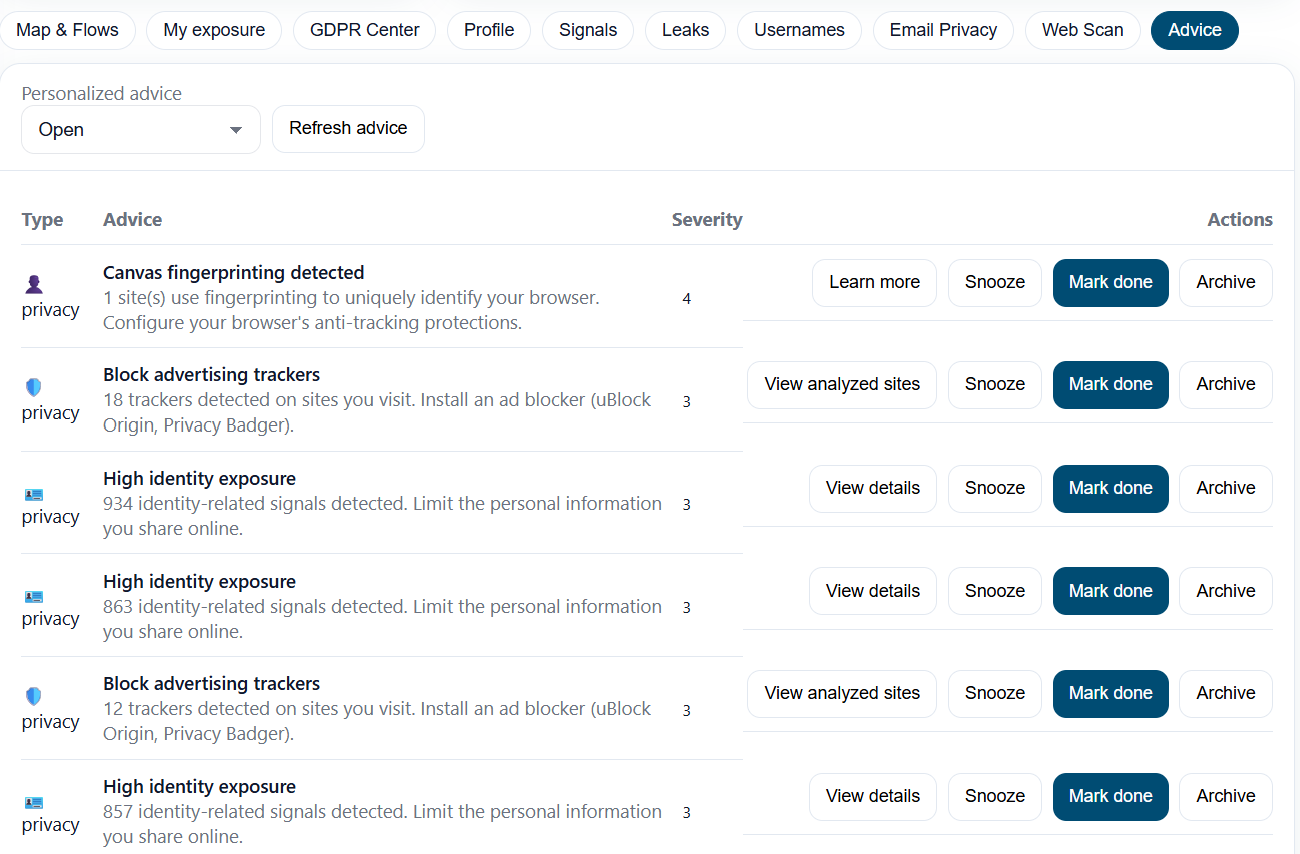
These recommendations are generated automatically based on:
your signals (exposure, leaks, configuration issues),
your global score and its evolution,
the results of your scans,
known best practices for digital safety.
The goal is to turn MyTwin’s technical findings into clear, actionable steps that anyone can follow.
Categories of Advice
Advice items are grouped into several categories to make navigation easier:
🔐 Account Security
Recommendations related to:
weak or reused passwords,
accounts exposed in data leaks,
lack of 2FA on critical services,
outdated recovery methods.
🌍 Public Exposure
Advice about reducing your digital footprint:
overly public social media profiles,
overexposed usernames found across risky sites,
unused accounts that should be deleted or privatized.
✉️ Email Hygiene
Actions related to your email practices:
separating personal and professional accounts,
using throwaway emails for risky sign-ups,
removing obsolete addresses.
👁️ Privacy & Tracking
Recommendations related to:
browser settings,
app permissions,
public data sharing,
third-party tracking reduction.
⚖️ Regulatory & Data Rights
Guidance for:
sending GDPR / DSAR requests,
exporting or deleting data from specific platforms,
revoking old consents.
Understanding an Advice Card
Each advice card contains:
A title describing the action to perform
A short explanation of why it matters
An impact level
🟥 High — security or privacy risk
🟧 Medium — recommended improvement
🟩 Low — optional optimization
Context
which signals triggered the recommendation
which email(s), username(s), or leaks it relates to
A step-by-step guide (when applicable)
Example:
Enable 2FA on your main email account Impact: High Your main email was found in a data leak. Enabling 2FA significantly reduces account takeover risk. Steps: follow the instructions for Gmail / Outlook / ProtonMail…
Prioritization
Advice items are sorted by impact and urgency. High-priority actions typically include:
passwords exposed in leaks,
missing 2FA on critical accounts,
high-severity signals,
large exposure via usernames.
Medium and low-impact items help you strengthen long-term hygiene.
Acting on Advice
You can click any item to open a detailed view that may include:
additional explanations,
external links (how to enable 2FA on provider X),
which signals or leaks justify the advice.
Some advice will also link directly to:
Emails,
Usernames,
Leaks,
Security,
or other relevant parts of MyTwin.
Once resolved, the advice may disappear or move to a lower priority category automatically.
Lifecycle of Advice
The Advice engine is dynamic:
✔️ New advice appears when new leaks or signals are detected
✔️ Resolved advice disappears after scans confirm the fix
✔️ Some recommendations remain as ongoing “best practices”
Your list will evolve as MyTwin learns more about your digital exposure.
Best Practices
Start with High impact recommendations
Re-run scans after resolving advice
Review your list at least once a month
Use a password manager to follow advice efficiently
Treat advice as a personal privacy health checklist